Mrs. Wilson's Classes
  • Home
  • Procedures / Expectations
    • The Grading Scale
  • 7th Grade Connect
  • Resources
    • Internet Safety / Cyberbullying
  • Digital BreakoutEDU
    • Donald Hudson Scavenger Hunt
    • Up Up & Away Digital BreakOutEdu
    • Summer Fun Digital BreakOut
    • Kansas History Digital Breakout
  • The LMS Greenback News
  • Procedures / Expectations
  • Home
  • Procedures / Expectations
    • The Grading Scale
  • 7th Grade Connect
  • Resources
    • Internet Safety / Cyberbullying
  • Digital BreakoutEDU
    • Donald Hudson Scavenger Hunt
    • Up Up & Away Digital BreakOutEdu
    • Summer Fun Digital BreakOut
    • Kansas History Digital Breakout
  • The LMS Greenback News
  • Procedures / Expectations
Search by typing & pressing enter

YOUR CART

I Made a New Password

I made a new password
That no one could guess.
It’s long and confusing
And truly a mess.

It has random letters
and numbers galore,
with dozens of symbols
and spaces and more.
​
My password is perfect,
completely secure,
and no one will break it;
of that I am sure.

It’s flawless and foolproof.
I don’t have a doubt.
But, whoops! I forgot it
and now I’m locked out.

 --Kenn Nesbitt
Picture

What you need for class...

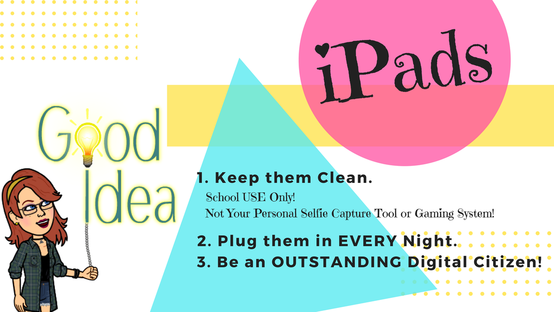
For each and every class you will need to bring your iPad with the app Evernote. Don't forget your smiling face.
Picture
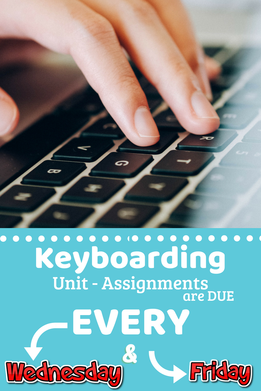
Check Google Classroom for more Details & Due Dates for other assignments.
​#GoogleClassroomThat
Picture
Look in Google Classroom!

Video Clips

Please do not play video clips without wearing headphones or earbuds.

-Thank You!

Quick Links:

Below are some of the quick links we will be using in class. Majority of the tools we use in class you will need to select LOGIN with GOOGLE!
Typing Club
Tynker
ClassCraft
Nitro Type
Digital Passport
Google Classroom
Evernote
Code.Org
Students' Learning Objectives
Tell me and I forget. Teach me and I remember. Involve me and I will learn.